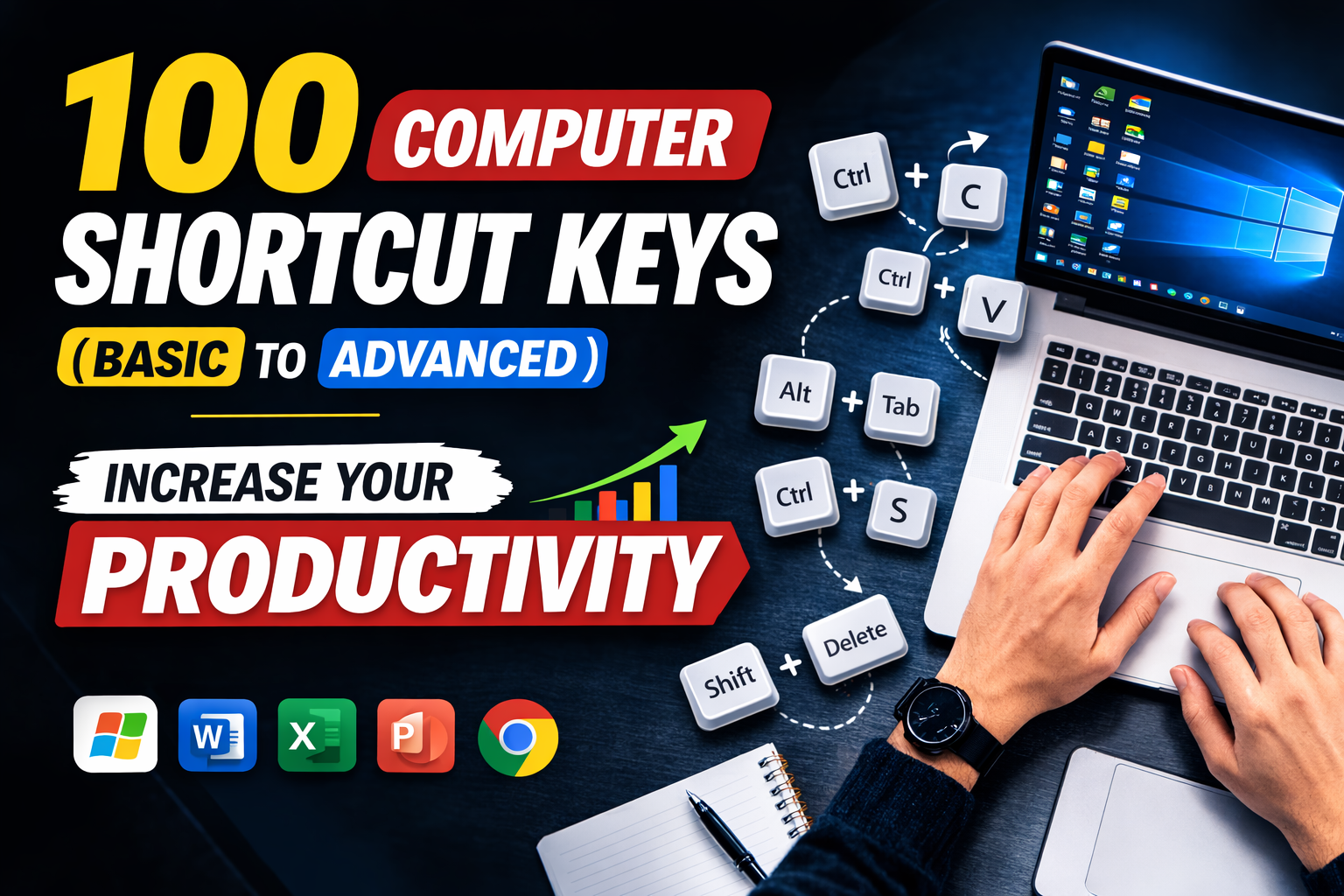
100 Computer Shortcut Keys List PDF in Hindi | Basic to Advanced,
Best Computer Course in Gorakhpur
Advanced Computer Classes Gorakhpur, Computer Shortcut Keys हमारे daily computer work को fast और easy बनाते हैं। अगर आप typing speed बढ़ाना चाहते हैं, time बचाना चाहते हैं और अपने काम की productivity improve करना चाहते हैं, तो shortcut keys सीखना बहुत जरूरी है। इस पोस्ट में हम 100 Computer Shortcut Keys List को basic to advanced level तक आसान भाषा में समझेंगे। यहाँ आपको important keyboard shortcut keys with functions मिलेंगे, जो students, office users, computer learners और professionals सभी के लिए बहुत useful हैं।

100 Computer Shortcut Keys (Basic to Advance)
1. Basic Computer Shortcut Keys
- Ctrl + C – Copy
- Ctrl + V – Paste
- Ctrl + X – Cut
- Ctrl + Z – Undo
- Ctrl + Y – Redo
- Ctrl + A – Select All
- Ctrl + S – Save
- Ctrl + P – Print
- Ctrl + N – New File / Document
- Ctrl + O – Open File
2. Text Editing Shortcut Keys
- Ctrl + B – Bold
- Ctrl + I – Italic
- Ctrl + U – Underline
- Ctrl + L – Align Left
- Ctrl + E – Align Center
- Ctrl + R – Align Right
- Ctrl + J – Justify Text
- Ctrl + Shift + > – Increase Font Size
- Ctrl + Shift + < – Decrease Font Size
- Ctrl + D – Font Dialog Box
3. File & Folder Shortcut Keys
- Ctrl + Shift + N – New Folder
- F2 – Rename File/Folder
- Delete – Delete File
- Shift + Delete – Permanent Delete
- Alt + Enter – File Properties
- Ctrl + Drag – Copy File
- Shift + Drag – Move File
- Alt + Drag – Create Shortcut
- Ctrl + Mouse Scroll – Zoom In/Out
- Ctrl + Shift + Esc – Open Task Manager
4. Windows Shortcut Keys
- Windows + D – Show Desktop
- Windows + E – Open File Explorer
- Windows + L – Lock Computer
- Windows + R – Open Run Dialog
- Windows + I – Open Settings
- Windows + S – Search
- Windows + Tab – Task View
- Windows + M – Minimize All Windows
- Windows + Shift + M – Restore Minimized Windows
- Windows + Pause – System Properties
5. Browser Shortcut Keys
- Ctrl + T – New Tab
- Ctrl + W – Close Tab
- Ctrl + Shift + T – Reopen Closed Tab
- Ctrl + Tab – Switch Tabs
- Ctrl + L – Select Address Bar
- Ctrl + D – Bookmark Page
- Ctrl + H – Open History
- Ctrl + J – Downloads
- Ctrl + F – Find on Page
- F5 – Refresh Page
6. Advanced Windows Shortcut Keys
- Alt + Tab – Switch Between Apps
- Alt + F4 – Close Current Window
- Windows + Arrow Keys – Snap Windows
- Windows + Ctrl + D – New Virtual Desktop
- Windows + Ctrl + Left/Right – Switch Desktop
- Windows + Ctrl + F4 – Close Virtual Desktop
- Windows + Shift + S – Screenshot Tool
- Windows + Print Screen – Save Screenshot
- Windows + G – Open Game Bar
- Windows + K – Connect to Devices
7. MS Word Shortcut Keys
- Ctrl + K – Insert Hyperlink
- Ctrl + Shift + C – Copy Formatting
- Ctrl + Shift + V – Paste Formatting
- Ctrl + Enter – Page Break
- Ctrl + Home – Go to Start of Document
- Ctrl + End – Go to End of Document
- Ctrl + Backspace – Delete Word Left
- Ctrl + Delete – Delete Word Right
- Ctrl + Shift + L – Bullet List
- Ctrl + Alt + 1 – Heading 1
8. Advanced Productivity Shortcut Keys
- Ctrl + Shift + Esc – Task Manager
- Alt + Enter – Properties
- Alt + Space – Window Menu
- Shift + F10 – Right Click Menu
- F11 – Full Screen
- Ctrl + Esc – Open Start Menu
- Ctrl + Shift + N – New Folder
- Ctrl + Shift + Delete – Clear Browser History
- Ctrl + Alt + Delete – Security Screen
- Alt + Print Screen – Screenshot Active Window
9. Special Shortcut Keys
- F1 – Help
- F2 – Rename
- F3 – Search
- F4 – Address Bar List
- F5 – Refresh
- F6 – Cycle Screen Elements
- F7 – Spell Check
- F8 – Boot Menu
- F10 – Menu Bar
- F12 – Save As
10. Extra Useful Shortcut Keys
- Ctrl + Shift + Esc – Task Manager
- Ctrl + Alt + Tab – Switch Apps
- Windows + U – Ease of Access
- Windows + P – Projector Mode
- Windows + + – Zoom In (Magnifier)
- Windows + - – Zoom Out
- Windows + Esc – Exit Magnifier
- Windows + H – Voice Typing
- Windows + V – Clipboard History
- Windows + . – Emoji Panel
MICROSOFT EXCEL SHORTCUT KEYS
Basic to Advanced | Proper Heading Format
1. Basic Shortcut Keys
- Ctrl + V – Paste
- Ctrl + X – Cut
- Ctrl + Z – Undo
- Ctrl + Y – Redo
- Ctrl + S – Save Workbook
- Ctrl + O – Open Workbook
- Ctrl + N – New Workbook
- Ctrl + P – Print Workbook
- Ctrl + W – Close Workbook
- Ctrl + F – Find
- Ctrl + H – Replace
- Ctrl + A – Select All
- Ctrl + K – Insert Hyperlink
- F1 – Help
- F2 – Edit Active Cell
- F4 – Repeat Last Action / Change Reference
- F5 – Go To
- F7 – Spelling Check
- Esc – Cancel Entry / Close Dialog Box
2. Navigation Shortcut Keys
- Arrow Keys – Move One Cell Up / Down / Left / Right
- Home – Move to Beginning of Row
- Ctrl + Home – Go to Cell A1
- Ctrl + End – Go to Last Used Cell
- Page Up – Move One Screen Up
- Page Down – Move One Screen Down
- Alt + Page Up – Move One Screen Left
- Alt + Page Down – Move One Screen Right
- Ctrl + Arrow Keys – Jump to Edge of Data Region
- Ctrl + G – Open Go To Box
- Tab – Move One Cell Right
- Shift + Tab – Move One Cell Left
- Enter – Move One Cell Down
- Shift + Enter – Move One Cell Up
3. Selection Shortcut Keys
इसे भी पढ़ें :-
- Microsoft Excel Step by Step Complete Notes
- What is Operating System?
- Basic Computer Notes in Hindi
- Tally Prime Practical Notebook in Hindi
- MS Word Complete Notes in Hindi
- Computer Shortcut Keys A to Z
- Internet Full Course Notes in Hindi

इसे भी पढ़ें :-
- Microsoft Excel Step by Step Complete Notes
- What is Operating System?
- Basic Computer Notes in Hindi
- Tally Prime Practical Notebook in Hindi
- MS Word Complete Notes in Hindi
- Computer Shortcut Keys A to Z
- Internet Full Course Notes in Hindi
- Shift + Arrow Keys – Extend Selection by One Cell
- Ctrl + Shift + Arrow Keys – Select Till End of Data
- Shift + Space – Select Entire Row
- Ctrl + Space – Select Entire Column
- Ctrl + A – Select Current Data Region
- Ctrl + A (Twice) – Select Entire Worksheet
- Ctrl + Shift + Space – Select Entire Worksheet
- Ctrl + Shift + Home – Select From Active Cell to A1
- Ctrl + Shift + End – Select From Active Cell to Last Used Cell
4. Formatting Shortcut Keys
- Ctrl + B – Bold
- Ctrl + I – Italic
- Ctrl + U – Underline
- Ctrl + 5 – Strikethrough
- Ctrl + 1 – Open Format Cells Dialog Box
- Ctrl + Shift + ~ – General Number Format
- Ctrl + Shift + ! – Number Format
- Ctrl + Shift + $ – Currency Format
- Ctrl + Shift + % – Percentage Format
- Ctrl + Shift + # – Date Format
- Ctrl + Shift + @ – Time Format
- Ctrl + Shift + ^ – Scientific Format
- Ctrl + Shift + & – Apply Border
- Ctrl + Shift + _ – Remove Border
- Ctrl + Shift + + – Insert Cells / Rows / Columns
- Ctrl + - – Delete Cells / Rows / Columns
5. Data Entry Shortcut Keys

इसे भी पढ़ें :-
- Microsoft Excel Step by Step Complete Notes
- What is Operating System?
- Basic Computer Notes in Hindi
- Tally Prime Practical Notebook in Hindi
- MS Word Complete Notes in Hindi
- Computer Shortcut Keys A to Z
- Internet Full Course Notes in Hindi
- Ctrl +; – Insert Current Date
- Ctrl + Shift + ; – Insert Current Time
- Ctrl + D – Fill Down
- Ctrl + R – Fill Right
- Alt + Enter – New Line in Same Cell
- Ctrl + Enter – Fill Selected Cells with Same Data
- Shift + Enter – Complete Entry and Move Up
- Tab – Complete Entry and Move Right
- Enter – Complete Entry and Move Down
- Delete – Clear Cell Content
- Backspace – Delete Character in Edit Mode
6. Worksheet Shortcut Keys

इसे भी पढ़ें :-
- Microsoft Excel Step by Step Complete Notes
- What is Operating System?
- Basic Computer Notes in Hindi
- Tally Prime Practical Notebook in Hindi
- MS Word Complete Notes in Hindi
- Computer Shortcut Keys A to Z
- Internet Full Course Notes in Hindi
- Shift + F11 – Insert New Worksheet
- Alt + Shift + F1 – Insert New Worksheet
- Ctrl + Page Down – Move to Next Worksheet
- Ctrl + Page Up – Move to Previous Worksheet
- Alt + H + O + R – Rename Worksheet
- Alt + H + D + S – Delete Worksheet
- Alt + E + L – Delete Sheet
- Alt + E + M – Move or Copy Sheet
- Ctrl + Tab – Switch Between Open Workbooks
- Ctrl + Shift + Tab – Switch Back Between Open Workbooks
7. Row and Column Shortcut Keys
- Ctrl + Space – Select Entire Column
- Shift + Space – Select Entire Row
- Ctrl + Shift + + – Insert New Row / Column
- Ctrl + - – Delete Selected Row / Column
- Ctrl + 9 – Hide Selected Rows
- Ctrl + Shift + 9 – Unhide Rows
- Ctrl + 0 – Hide Selected Columns
- Ctrl + Shift + 0 – Unhide Columns
- Alt + H + O + I – AutoFit Column Width
- Alt + H + O + A – AutoFit Row Height
8. Formula Shortcut Keys
- = – Start Formula
- Alt + = – AutoSum
- Shift + F3 – Insert Function
- Ctrl + ` – Show / Hide Formulas
- F4 – Toggle Absolute / Relative Reference
- F9 – Calculate All Worksheets
- Shift + F9 – Calculate Active Worksheet
- Ctrl + Alt + F9 – Force Full Calculation
- Ctrl + Alt + Shift + F9 – Recheck Dependent Formulas
- Ctrl + [ – Go to Precedent Cells
- Ctrl + ] – Go to Dependent Cells
9. Table Shortcut Keys
- Ctrl + T – Create Table
- Ctrl + L – Create Table
- Tab – Move to Next Table Cell
- Shift + Tab – Move to Previous Table Cell
- Ctrl + Space – Select Table Column
- Shift + Space – Select Table Row
- Ctrl + A – Select Entire Table
- Alt + Down Arrow – Open Table Filter Menu
10. Filter Shortcut Keys
- Ctrl + Shift + L – Apply / Remove Filter
- Alt + Down Arrow – Open Filter Dropdown
- Alt + Up Arrow – Close Filter Dropdown
- Ctrl + Shift + L – Turn Filter On / Off
- Alt + A + T – Apply Filter
11. Pivot Table Shortcut Keys
- Alt + N + V – Create Pivot Table
- Alt + F5 – Refresh Selected Pivot Table
- Ctrl + Alt + F5 – Refresh All Data Connections
- Alt + J + T + F – Open Pivot Table Analyze Tab
12. Find and Replace Shortcut Keys
- Ctrl + F – Find
- Ctrl + H – Replace
- Shift + F4 – Find Next
- Ctrl + Shift + F – Open Font Tab in Format Cells
- Ctrl + Shift + P – Open Font Size Box
13. Copy and Paste Special Shortcut Keys
- Ctrl + C – Copy
- Ctrl + X – Cut
- Ctrl + V – Paste
- Ctrl + Alt + V – Paste Special
- Alt + E + S – Paste Special
- Ctrl + D – Copy Down
- Ctrl + R – Copy Right
14. Comment and Note Shortcut Keys
- Shift + F2 – Insert / Edit Note
- Ctrl + Shift + O – Select All Cells with Notes
- Alt + R + C – Insert Comment / Note
15. Ribbon Shortcut Keys
- Alt – Activate Ribbon Key Tips
- Ctrl + F1 – Show / Hide Ribbon
- Alt + H – Home Tab
- Alt + N – Insert Tab
- Alt + P – Page Layout Tab
- Alt + M – Formulas Tab
- Alt + A – Data Tab
- Alt + R – Review Tab
- Alt + W – View Tab
- Alt + F – File Tab
16. View Shortcut Keys
इसे भी पढ़ें :-
- Microsoft Excel Step by Step Complete Notes
- What is Operating System?
- Basic Computer Notes in Hindi
- Tally Prime Practical Notebook in Hindi

इसे भी पढ़ें :-
- Microsoft Excel Step by Step Complete Notes
- What is Operating System?
- Basic Computer Notes in Hindi
- Tally Prime Practical Notebook in Hindi
- MS Word Complete Notes in Hindi
- Computer Shortcut Keys A to Z
- Internet Full Course Notes in Hindi
- Alt + W + L – Normal View
- Alt + W + P – Page Layout View
- Alt + W + I – Page Break Preview
- Ctrl + Mouse Wheel Up – Zoom In
- Ctrl + Mouse Wheel Down – Zoom Out
- Alt + W + F + F – Freeze Panes
- Alt + W + F + C – Freeze First Column
- Alt + W + F + R – Freeze Top Row
17. Window Shortcut Keys
- Ctrl + F1 – Collapse / Expand Ribbon
- Ctrl + Tab – Next Open Workbook
- Ctrl + Shift + Tab – Previous Open Workbook
- Alt + Space – Workbook Window Menu
- Ctrl + W – Close Current Workbook
18. Print Shortcut Keys
- Ctrl + P – Open Print Preview / Print
- Alt + F + P – Open Print Menu
- Ctrl + Shift + F12 – Print Workbook
19. Protection Shortcut Keys
- Alt + R + P + S – Protect Sheet
20. Most Important Daily Use Shortcut Keys
- Ctrl + C – Copy
- Ctrl + V – Paste
- Ctrl + Z – Undo
- Ctrl + S – Save
- Ctrl + A – Select All
- Ctrl + F – Find
- Ctrl + H – Replace
- Ctrl + T – Create Table
- Ctrl + Shift + L – Filter On / Off
- Alt + = – AutoSum
- F2 – Edit Cell
- F4 – Repeat / Lock Reference
- Ctrl + ; – Insert Date
- Ctrl + Shift + ; – Insert Time
- Shift + F11 – New Sheet
- Ctrl + Page Down – Next Sheet
- Ctrl + Page Up – Previous Sheet
- Ctrl + 1 – Format Cells
- Ctrl + B – Bold
- Ctrl + D – Fill Down
- Ctrl + R – Fill Right
FAQ (Frequently Asked Questions)
1. Shortcut Keys क्या होती हैं?
Shortcut Keys ऐसे keyboard combinations होते हैं जिनकी मदद से computer में काम जल्दी किया जाता है।
2. सबसे ज्यादा उपयोग होने वाली Shortcut Key कौन सी है?
सबसे ज्यादा उपयोग होने वाली keys हैं:
- Ctrl + C → Copy
- Ctrl + V → Paste
- Ctrl + S → Save
- Ctrl + Z → Undo
3. Shortcut Keys सीखने से क्या फायदा होता है?
Shortcut Keys सीखने से:
- काम की speed बढ़ती है
- समय बचता है
- productivity बढ़ती है
- typing और office work आसान हो जाता है
4. क्या Shortcut Keys सभी Computer में काम करती हैं?
हाँ, ज्यादातर Shortcut Keys Windows और Laptop दोनों में काम करती हैं।
5. Windows खोलने की Shortcut Key कौन सी है?
Windows Key दबाने से Start Menu खुल जाता है।
6. नया Folder बनाने की Shortcut Key क्या है?
Ctrl + Shift + N से नया Folder बनता है।
7. किसी भी File को Permanent Delete कैसे करें?
Shift + Delete दबाकर File Permanent Delete की जा सकती है।
8. Task Manager खोलने की Shortcut Key क्या है?
Ctrl + Shift + Esc दबाकर Task Manager खोला जाता है।
9. Computer Lock करने की Shortcut Key कौन सी है?
Windows + L दबाकर Computer तुरंत Lock हो जाता है।
10. Screenshot लेने की Shortcut Key क्या है?
Windows + Shift + S से Screenshot लिया जा सकता है।
Conclusion (निष्कर्ष)
Computer Shortcut Keys सीखना आज के समय में बहुत जरूरी है। चाहे आप student हों, office worker हों, graphic designer हों या computer operator — shortcut keys आपके काम को fast, smart और professional बनाती हैं। अगर आप रोज़ computer का उपयोग करते हैं, तो इन 100 shortcut keys को जरूर सीखें और practice करें।
इसे भी पढ़ें :-
- Microsoft Excel Step by Step Complete Notes
- What is Operating System?
- Basic Computer Notes in Hindi
- Tally Prime Practical Notebook in Hindi
- MS Word Complete Notes in Hindi
- Computer Shortcut Keys A to Z
- Internet Full Course Notes in Hindi


.png)